
Overview
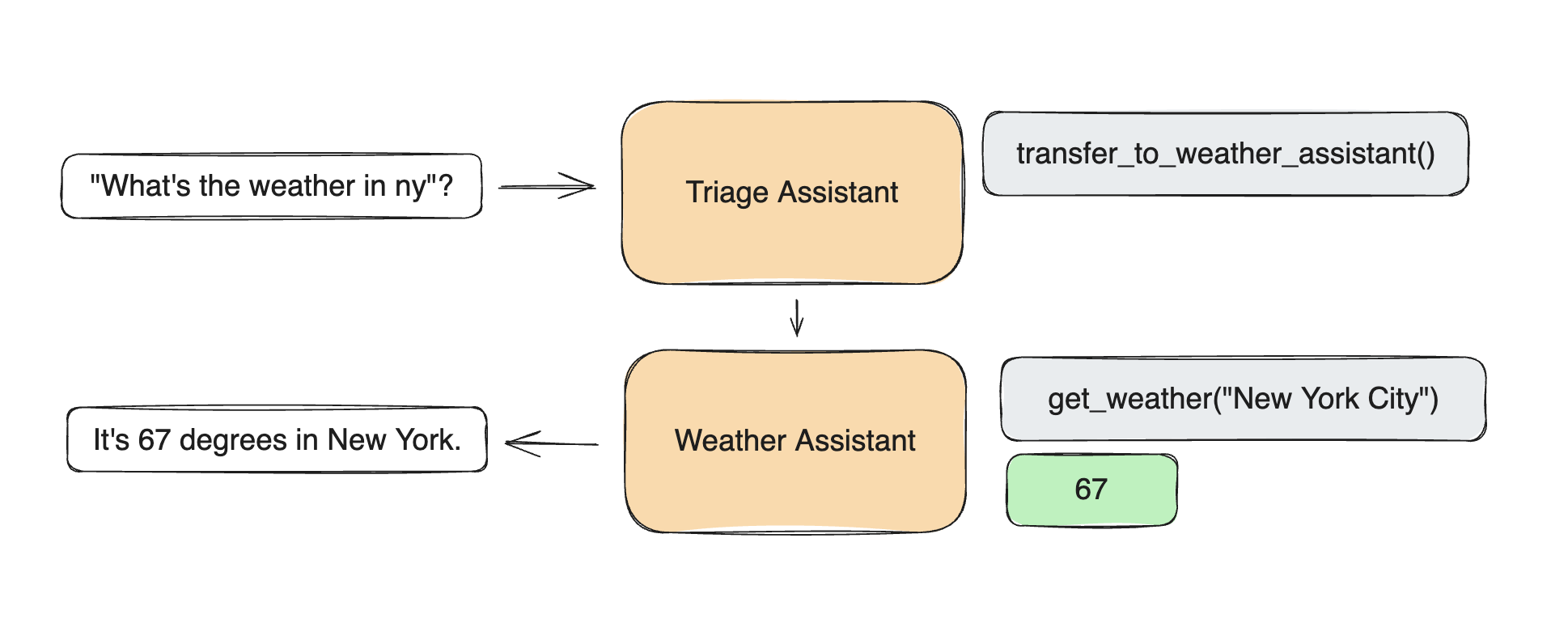
The Swarm pattern implements OpenAI’s Swarm framework for multi-agent handoffs, enabling seamless context transfer between specialized agents based on conversation flow and requirements.Complete Implementation
The Swarm pattern implements OpenAI’s Swarm framework for seamless multi-agent handoffs with context preservation. Here’s a comprehensive airline customer service implementation:Basic Swarm Setup
Advanced Swarm Configuration
Multi-Provider Support
Complex Agent Hierarchies
Context Management
Key Features
- Automatic Handoffs: Context-aware agent switching based on conversation flow
- Context Preservation: Full conversation history maintained across handoffs
- Trigger-Based Routing: Configurable keywords and confidence thresholds
- Bidirectional Communication: Agents can hand back to previous agents
- State Management: Maintains conversation state and agent history
Use Cases
Customer Service Operations
Perfect for complex customer service scenarios requiring specialized expertise:- Airline Support: Triage → Flight modifications → Cancellations/Changes → Resolution
- Tech Support: L1 Support → L2 Technical → L3 Engineering → Management escalation
- E-commerce: General inquiry → Product specialist → Payment issues → Fulfillment
- Banking: Customer service → Account specialist → Fraud team → Branch manager
Multi-Domain Consultation
Handle requests requiring different areas of expertise:- Legal Services: Intake → Paralegal → Attorney → Specialist counsel
- Healthcare: Nurse triage → General practitioner → Specialist → Care coordinator
- Real Estate: Initial inquiry → Agent → Mortgage specialist → Closing coordinator
- Education: Admissions → Academic advisor → Financial aid → Student services
Progressive Problem Solving
Start broad and become increasingly specialized:- Software Development: Help desk → Developer → Architect → Product manager
- Research Projects: Research assistant → Subject expert → Principal investigator
- Content Creation: Writer → Editor → SEO specialist → Publication manager
- Sales Process: Lead qualification → Sales rep → Technical sales → Account manager
Workflow Processing Pipelines
Pass tasks through specialized processing stages:- Document Processing: OCR → Data extraction → Validation → Archive
- Content Moderation: Auto-filter → Human review → Policy expert → Appeals
- Quality Assurance: Automated testing → Manual QA → Security review → Release
- Hiring Process: Resume screening → Phone screen → Technical interview → Final decision
Setup and Installation
Clone the repository and navigate to the swarm workflow example:mcp_agent.secrets.yaml:
Configuration Examples
Human Input Integration
Policy-Driven Agents
Create agents that follow specific company policies:Dynamic Context Variables
Expected Output
The swarm will intelligently route customer inquiries and provide contextual responses:Full Implementation
See the complete swarm pattern implementation with OpenAI Swarm compatibility.